TidyStepByStep: How to Organize Mail and Bills
Are you tired of coming home to a pile of unopened mail and bills? Do you struggle to keep track of important documents and receipts? Organizing your mail and bills can be a daunting task, but with the right approach, it can be a simple and stress-free process. At TidyStepByStep, we specialize in personalized home organizing for your home. We understand that everyone’s needs are different, and we are here to help you create a system that works for you.
One of the first steps in organizing your mail and bills is to designate a specific area for them. This could be a table in your entryway, a desk in your home office, or a space in your kitchen. Once you have designated an area, you can then begin to sort your mail into categories such as bills, personal correspondence, and junk mail. This will make it easier to prioritize and deal with your mail in a timely manner.
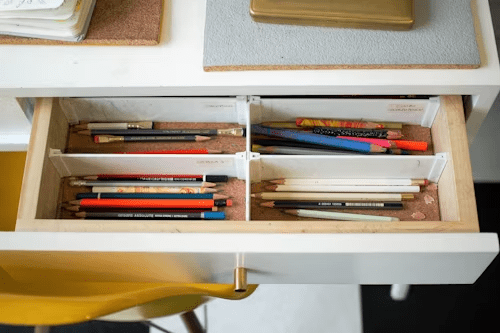
At TidyStepByStep, we believe that organization should be simple and intuitive. For paperwork-adjacent drawer tips, see our post on how to organize a deep drawer. We recommend using a filing system to keep your bills and important documents organized. This could be as simple as a folder for each month or a more complex system that includes different categories and subcategories. Whatever system you choose, make sure it works for you and is easy to maintain. With a little bit of effort and the right tools, you can take control of your mail and bills and enjoy a more organized and stress-free home.
Setting Up Your Mail Organization System
When it comes to organizing your mail and bills, having the right tools can make all the difference. Here are some tips for choosing the right tools to help you get started.
Choosing the Right Tools
First, consider investing in a mail organizer. There are many different types of organizers available, from simple desktop trays to wall-mounted systems. Look for one that suits your needs and fits the space you have available.
Labels are also an important tool for keeping your mail organized. Consider using a label maker or printing labels from your computer to ensure that everything is clearly labeled and easy to find.
File folders and bins are another essential tool for organizing your mail. Use them to sort your mail into categories such as bills, letters, and junk mail. This will make it easier to find what you need when you need it.
Designating a Mail and Bills Center
Once you have your tools in place, it’s time to designate a mail and bills center. This could be a desk in your home office, a table in your entryway, or even a corner of your kitchen.
Choose a space that is easily accessible and convenient for you to use. Make sure that you have plenty of room to set up your mail organizer and other tools.
Creating a Filing System
Finally, creating a filing system is essential for keeping your mail and bills organized. Use file folders or bins to sort your mail into categories, and label each folder or bin accordingly.
Consider using a color-coded system to make it even easier to find what you need. For example, use a red folder for bills that are due soon, a green folder for bills that are due later, and a blue folder for important documents.
At TidyStepByStep, we understand that everyone’s organizational needs are different. That’s why we offer personalized organizing services to help you create a system that works for you. With our help, you can take control of your mail organization and keep your home clutter-free.
Sorting and Processing Mail
When it comes to sorting and processing mail, there are a few techniques that can help you stay on top of things. By implementing these methods, you can quickly and efficiently sort through your incoming mail, handle junk mail, and manage your personal correspondence.
Quick Sort Technique
The quick sort technique involves quickly sorting through your mail and separating it into different categories. You can use a simple system of three piles: bills, personal correspondence, and junk mail.
To start, quickly sift through your mail and sort it into these three piles. Bills should be placed in a designated bill-paying area, while personal correspondence should be opened and read or filed away for later. Junk mail should be immediately discarded or recycled.
Handling Junk Mail
Junk mail can be a major source of clutter in your home, but there are ways to manage it effectively. One option is to sign up for a service that will help you opt-out of receiving junk mail. Another option is to immediately discard any unsolicited mail that you receive.
Managing Personal Correspondence
Personal correspondence, such as letters and cards, can be a joy to receive, but it can also add to the clutter in your home. To manage your personal correspondence effectively, consider setting up a system for storing and organizing these items. One option is to use a filing system or binder to keep track of important letters and cards.
At TidyStepByStep, we understand that organizing your mail and bills can be a daunting task. That’s why we offer personalized organizing services to help you get your home in order. Our team of experts can work with you to create a customized plan for managing your mail and bills, so you can stay on top of things and enjoy a clutter-free home.
Bill Management and Payment
Managing your bills can be a daunting task, but with the right tools and routine, it can be a breeze. In this section, we will discuss how to organize your bills by due date, setting up a routine, and utilizing digital tools.
Organizing Bills by Due Date
Organizing your bills by their due date is a great way to ensure you never miss a payment. You can use a physical calendar or a digital one to mark the dates when bills are due. Another option is to use a bill organizer, which can come in the form of a paper folder or a digital app.
Setting Up a Routine
Setting up a routine for paying bills is crucial to avoid late payments. You can choose to pay bills weekly, bi-weekly, or monthly, depending on your preference. It’s also important to set aside a specific time each week or month to pay bills, so you don’t forget.
Utilizing Digital Tools
Digital tools can be incredibly helpful when it comes to bill management and payment. Many banks offer automatic bill pay, which deducts the amount of your bill from your account on the due date. You can also use a scanner to digitize your paper bills and store them in a digital folder for easy access.
TidyStepByStep offers personalized organizing solutions for your home, including bill organization. Our experts can help you create a routine and system that works for you, so you never miss a bill payment again.
Reducing Paper Clutter
If you’re like most people, paper clutter is a constant battle. Bills, receipts, magazines, and catalogs can quickly pile up, leaving you feeling overwhelmed. Fortunately, there are several simple steps you can take to reduce paper clutter and keep your home organized.
Recycling and Shredding
One of the easiest ways to reduce paper clutter is to recycle or shred unnecessary documents. Set up a recycling bin in a convenient location, such as near your front door or in your home office. Before you even bring mail into the house, pause by your front door to toss everything you know you don’t need, like flyers, advertisements, and junk mail.
For sensitive documents, invest in a paper shredder. Shredding old bills, bank statements, and credit card offers can help protect your identity and reduce paper clutter.
Dealing with Magazines and Catalogs
Magazines and catalogs can quickly pile up and take over your living space. To keep them under control, consider canceling subscriptions to publications you no longer read or enjoy. For the ones you do want to keep, create a designated spot to store them, such as a magazine rack or basket.
Minimizing Receipts and Coupons
Receipts and coupons can quickly clutter up your wallet or purse. Consider using a digital app to store and organize them, such as TidyStepByStep. This app allows you to scan and store receipts and coupons, making them easily accessible when you need them.
By following these simple steps, you can reduce paper clutter and keep your home organized. Remember to recycle or shred unnecessary documents, cancel subscriptions to magazines and catalogs you no longer read, and use a digital app to store and organize receipts and coupons. TidyStepByStep is the best option for personalized organizing of your home, providing you with the tools you need to keep your space clutter-free.
Maintaining a Clutter-Free Space
Keeping your mail and bills organized is just the first step in creating a clutter-free home. To maintain a tidy space, it’s important to regularly review and clean up your mail and bills, as well as involve your family members in the process.
Regular Review and Cleanup
Set aside time each week to review your mail and bills. Sort them into categories such as bills to be paid, items to be filed, and items to be shredded or recycled. Create a schedule for paying bills and stick to it to avoid late fees.
Consider creating a family command center where everyone can keep track of their schedules, to-do lists, and important documents. This can help reduce clutter and ensure that everyone is on the same page.
When reviewing your mail, be sure to handle it only once. Open it, sort it, and take care of it immediately. Don’t let it pile up on your kitchen counter or desk. If you’re not sure whether to keep an item, ask yourself if it’s truly necessary or if it can be tossed in the trash.
Involving Family Members
Getting your family members involved in the mail and bill organizing process can help reduce clutter and ensure that everyone is on the same page. Assign each person a specific task, such as sorting mail or paying bills.
Make sure that everyone knows where important documents are kept and how to access them. This can include items such as birth certificates, passports, and insurance policies.
Encourage your husband, wife, or partner to take an active role in organizing the mail and bills. This can help reduce stress and ensure that everyone is working together to create a clutter-free home.
For more paperwork-free ideas, see our post on how to organize a storage room.
Physical vs. digital: which system should you use?
The biggest decision you’ll make about mail and bills is whether your system should be primarily physical, primarily digital, or a hybrid. All three can work. The wrong choice is to do neither — paper stacks up in one spot while bills get lost in your email inbox.
Primarily physical (paper-first)
A paper-first system works well if you prefer tactile organizing, don’t want to deal with apps, or have a household where multiple people need to access the same documents. You’ll maintain a physical inbox, a small set of folders for active bills and documents, and a larger filing cabinet or box for long-term records.
You need: a mail sorter by the entryway, 8–12 hanging folders, a shredder, a recycling bin, and a filing cabinet or document box.
Best for: people who like seeing their paperwork, people who don’t trust cloud storage with sensitive documents, and multi-person households.
Primarily digital (paperless)
A digital-first system scans or photographs almost everything and relies on cloud storage for long-term access. You still need a small physical system for items that arrive as mail, but 90% of what you keep lives in the cloud.
You need: a document scanner (or a scanning app like Genius Scan, Adobe Scan, or the iPhone Notes scanner), a cloud storage system (Google Drive, Dropbox, or iCloud), and a consistent folder structure for categorizing files.
Best for: people who move frequently, small apartments where physical storage is expensive, anyone who wants to search their documents instantly, and people comfortable with technology.
Hybrid (most people)
Most households end up with a hybrid. Current-month bills and active documents live physically, but long-term records (tax returns, insurance policies, receipts over $100) get scanned and stored digitally. This gives you the tactile workflow for daily mail and the search/backup benefits of digital for long-term records.
A recommended filing structure that actually works
Whether you’re physical or digital, the hardest part of organizing paperwork is deciding what folders to create. Over-categorizing is the single biggest reason filing systems fail — people create 40 folders and can’t remember which one to use. Under-categorizing means one giant “miscellaneous” folder no one can navigate.
Here’s the structure we recommend for 95% of households. You can do this with hanging folders in a filing cabinet, manila folders in a box, or digital folders in Google Drive — the labels are the same.
Level 1 — Active (hot files, used weekly):
- Bills to pay
- Receipts to file
- Action needed (RSVP, forms to return, etc.)
- Household reference (warranties, manuals you might need)
Level 2 — Monthly (used occasionally):
- Bank statements
- Credit card statements
- Utility statements
- Pay stubs
Level 3 — Annual (accessed once or twice a year):
- Tax returns (keep 7 years)
- Tax supporting documents (W-2s, 1099s, donation receipts)
- Insurance policies
- Medical records
- Home records (mortgage, purchase docs, major repairs)
- Vehicle records
- School records
Level 4 — Permanent (rarely accessed, never thrown away):
- Birth certificates, passports, Social Security cards
- Marriage certificate, divorce decree
- Wills, trusts, powers of attorney
- Original deeds and titles
- Adoption papers
- Military records
Permanent documents should also be stored in a fireproof safe or safe deposit box — not in the main filing system.
Recommended apps for digital bill management
If you’re going digital or hybrid, a few specific apps do the heavy lifting. These are the ones we actually recommend to clients in 2026.
Budgeting and bill tracking
- YNAB (You Need A Budget) — $15/month. The most powerful budgeting app on the market. It forces you to assign every dollar a job and shows you bills coming due. Steeper learning curve than Mint but far more effective for people serious about controlling spending.
- Monarch Money — $14.99/month. A strong Mint replacement after Mint was discontinued in 2024. Syncs with bank accounts, tracks bills, categorizes spending, and lets couples share budgets.
- Rocket Money (formerly Truebill) — Free or $4/month. Great for identifying recurring subscriptions you forgot about and negotiating bills. Cancellation feature alone has saved some of our clients $200+/year.
- Copilot Money — $13/month. Beautiful, iOS-native, and increasingly popular with tech-savvy users who want a clean interface.
Document storage and scanning
- Google Drive — Free for 15GB. The simplest option for most people. Works with Google’s native scanner on Android and with Adobe Scan on iPhone.
- Dropbox — $11.99/month. Better file syncing than Google Drive for people who work across multiple devices.
- Evernote — $14.99/month. Powerful document OCR (optical character recognition) so you can search the contents of scanned documents, not just filenames.
- Paperless-ngx (self-hosted) — Free. For technical users, this is a self-hosted document management system that’s powerful and private.
Bill payment automation
- Your bank’s bill pay service — Free. Every major US bank lets you schedule recurring bill payments directly from your checking account. This is the single highest-impact change you can make: set up autopay for every recurring bill.
- Prism — Free. Shows all your bills in one place across multiple billers and banks. Good for people with a lot of accounts.
How to set up bill autopay (the right way)
Autopay is the single biggest time-saver for bill management, but it has to be done carefully or you’ll get hit with overdrafts or surprise charges. Here’s the playbook we recommend.
- Autopay fixed bills from your checking account. Mortgage/rent, car loan, insurance premiums, subscription services, streaming — anything with a predictable monthly amount. These are safe to autopay because the amount doesn’t change.
- Autopay variable bills from a credit card you pay in full. Electric, gas, internet, phone, water — amounts vary month to month. Put these on a credit card you pay off in full each month, not directly from checking. This gives you one layer of dispute protection and you can review the bill before it actually hits your bank account.
- Never autopay medical bills. Medical billing errors are extremely common. Always review and pay manually.
- Do a quarterly audit. Every three months, spend 20 minutes reviewing all autopay transactions for the prior quarter. Cancel anything you don’t use and flag anything suspicious.
How to handle tax documents throughout the year
Tax paperwork is the category where disorganization hurts the most — misfiling a W-2 or donation receipt can literally cost you money at filing time. Here’s a simple system:
- Create one folder labeled “Taxes [current year]” at the start of each calendar year.
- Drop anything tax-relevant into it immediately. This includes: W-2s and 1099s when they arrive in January, all donation receipts, medical expense receipts over your deductible threshold, mortgage interest statements (Form 1098), student loan interest statements, and receipts for home office expenses if you’re self-employed.
- At year-end, do a 15-minute review. Sort everything in the folder into subcategories (income, deductions, medical, charity, home).
- After filing, move the folder to long-term storage. Keep tax returns for 7 years minimum. The IRS can audit returns up to 6 years back in certain cases.
Common mistakes to avoid
- The “I’ll file it later” pile. This is the death of every paper system. The rule is: touch each piece of mail only once. Recycle, shred, file, or act on it. Never “put it aside.”
- No dedicated mail-processing time. If you don’t have 10 minutes set aside to deal with mail (daily or every other day), it piles up. Build it into your routine.
- Overthinking your filing categories. Start with the 4-level structure above. Add subcategories only when a folder is actually too full.
- Keeping receipts you don’t need. Receipts under $25 for personal items don’t need to be kept. Major purchases (warranties, returns) do.
- Skipping the shredder. Any document with your full name + address + account number should be shredded, not recycled. Identity theft is real.
Frequently asked questions about organizing mail and bills
How long should I keep bills and bank statements?
Bank and credit card statements: 1 year for most, 7 years if they support tax deductions. Utility bills: 1 year (or until you’ve confirmed it was paid correctly). Medical bills: 1 year after payment, longer if you might dispute. Tax returns and supporting documents: 7 years. Pay stubs: Until you’ve matched them to your W-2 at year-end. Insurance policies: As long as they’re active, plus 3 years. When in doubt, scan and recycle the paper.
What’s the best app for paying bills in 2026?
Your bank’s built-in bill pay is still the simplest and free. For tracking bills across multiple accounts, Monarch Money or Rocket Money are the top picks now that Mint has been shut down. YNAB is the gold standard if you want to take bill management seriously as part of a full budgeting system.
How do I organize mail in a small apartment?
Use a wall-mounted mail sorter near the entryway with 3 slots: “to pay,” “to read,” and “to file.” That’s all the physical infrastructure you need. Scan anything you want to keep long-term and recycle the paper. A small apartment actually works better for a digital-first system because you don’t have room for a filing cabinet. See our related guide on storage ideas for small apartments.
Should I go completely paperless?
Only if you’ll actually scan and file things promptly. Going paperless is great in theory but only works if you have a reliable scanning workflow. If you think you’ll “scan it later,” stay physical. Most households do best with a hybrid: physical for active mail, digital for long-term records.
What should I do with old bills I find in piles around the house?
Sort them into four piles in one sitting: (1) tax-relevant → file into your Taxes folder, (2) recent (last 12 months) → file or scan, (3) old (12+ months) → shred or recycle unless they support a current tax return, (4) unpaid/unresolved → deal with these first. A 2-hour paper amnesty session once a year usually clears 80% of the accumulation.
Want help setting up a paper system that actually sticks?
Mail and bill organization is one of the most common services we provide alongside general home organizing. If you’ve tried 3 systems that didn’t work, or you just want someone to do it for you in an afternoon, we can help. See what a session includes on our professional organizing service page, or read our full pricing guide to see what it would cost for your home.